
Table of Contents
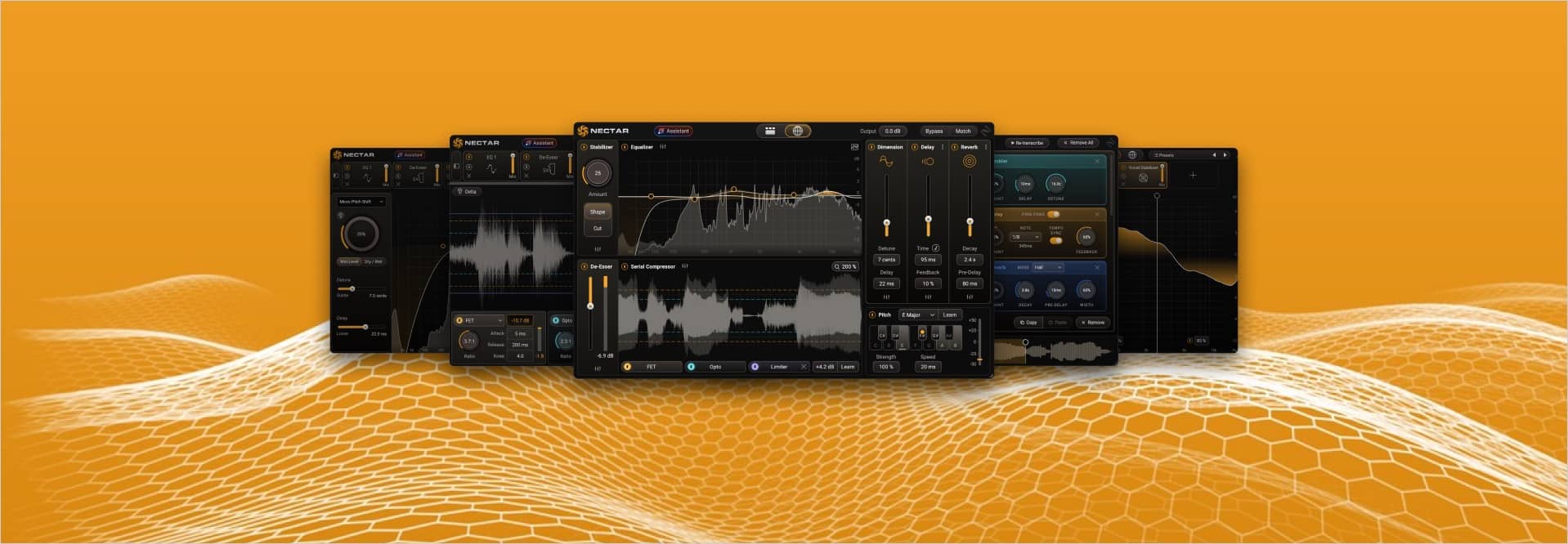
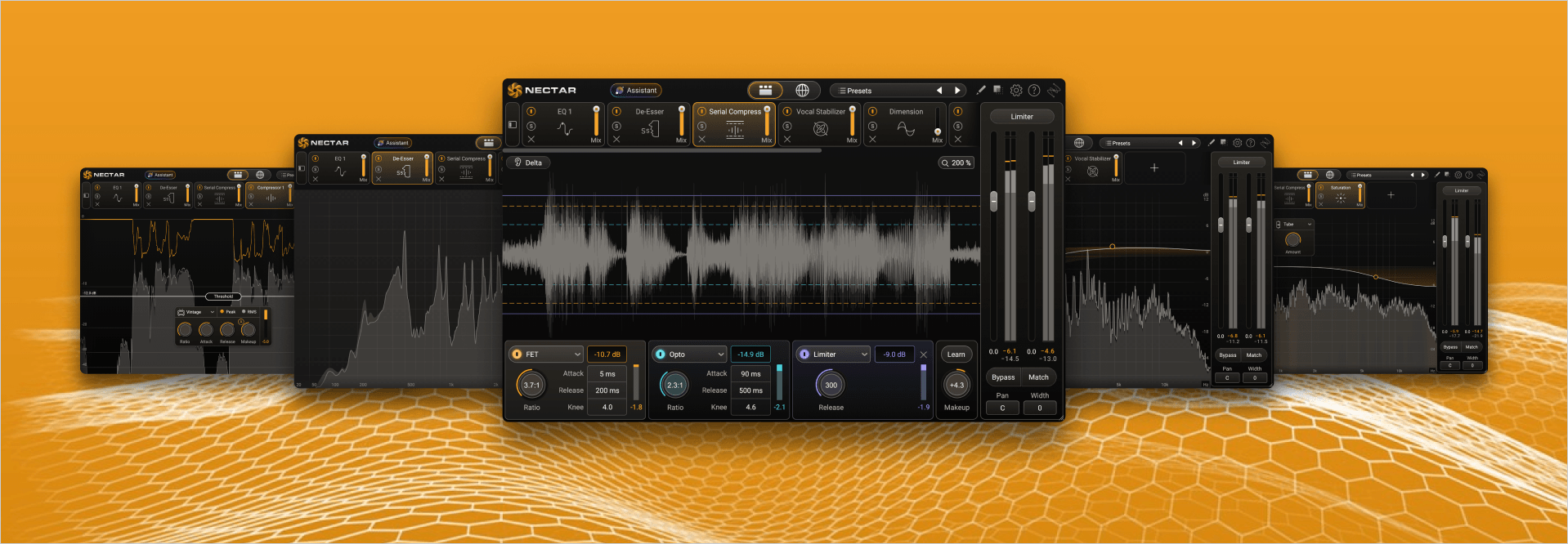
iZotope Nectar 5 is out, and it brings a lot to the table: a new Serial Compressor for stacked compression, a Vocal Stabilizer that adapts its EQ as the performance moves, and a retuned Vocal Assistant you can now steer toward the sound you want.
But the biggest leap forward arguably comes in a separate plugin that ships with Nectar 5. It's called Moments, and it changes how you add those momentary flourishes to a vocal production.
I'm talking delay throws, reverse reverb swells, vocal stabs, and harmonies on a single line – the effects that usually take ages to automate. Moments transcribes your vocal into lyrics, so you can highlight a word and put an effect on just that word. The workflow drops from minutes to seconds.
This article covers why that matters, how Moments works, and what you need to run it.
The pain points of vocal automation
Mix automation is something that separates the best of the best from the average among us. But it does come with its pain points.
Hand-drawing changes into a mix is arguably the longest part of the process. Watch your favorite engineers mix online and you'll hear things like "automation is where I slow down and take my time," or "it's not uncommon for me to spend an hour on automation."
Of course it takes time. Consider the mechanics of setting up a vocal throw (a single echo on a word or phrase). Generally, you've got two options.
Option 1: an aux send with automation
You send the vocal track to a bus, put a delay on that aux channel, and automate the send so it comes up at a specific time – for a specific word or phrase.
That's aux creation, routing, plugin auditioning, parameter dialing, and drawing in (or riding) the automation.
For newer producers who don't know the process or the plugins yet, this could easily be a 20-minute side quest. They're juggling routing, sound design, and automation, all while learning how to turn the sound in their head into the effect coming out of the speakers.
Professionals who know their tools – and have their shortcuts, macros, and game plans ready – might get it down to a minute or so. Still, it takes a lot of experience to get to that minute.
Option 2: bounce in place to a new track
The other way to set up a vocal throw involves making a new track. You select the region that holds the phrase you want to echo, bounce it in place to a new track, and put your effects directly on that track.
This method is arguably quicker, but experience still matters: you need to know how to bounce in place, which plugins to use, and everything else that takes time to learn.
It also adds visual clutter. Tracks pile up as you mix, which can cause problems if you use window or VCA groups in your DAW. Your momentary effects can get lost in the session, so they're hard to find when you want to mute them, move them, or change the effect later.
Still, these momentary effects are worth it. They create movement, texture, and memorable moments. They add emotion. They just take time.
And time costs money.
We've estimated it can take anywhere from 1 to 20 minutes to set up one momentary effect. That's one moment.
A mix usually has way more than one. And it's not just delay throws. We use all sorts of moment-to-moment tricks to make mixes memorable: reverse reverbs, bursts of distortion, pitch drops, formant shifts, harmonies on specific words... the list goes on.
Each one has to be built separately, and it adds up. If you're a hobbyist, that time has to come from somewhere – your loved ones, your sleep, or your day job.
If you're a professional, the time crunch is different, but no less real:
- If you charge a flat rate for a mix, you're effectively paid less the longer you mix. Over time, that can discourage the very experimentation that makes your style your own
- If you charge by the hour, you pass that cost on to the client. Fine, but few clients trust you enough to pay hourly for your own navel-gazing experiments
Take money out of the equation and too much time still hurts the work. The longer you spend, the more you get lost in the weeds. You lose perspective, and the mix gets worse.
So here's the paradox: we want to experiment, but the longer we do it, the more it costs us, both psychologically and financially.
That's the problem iZotope set out to solve with the Moments plugin in Nectar 5. Let's dig in.
What is Nectar Moments and how does it work?
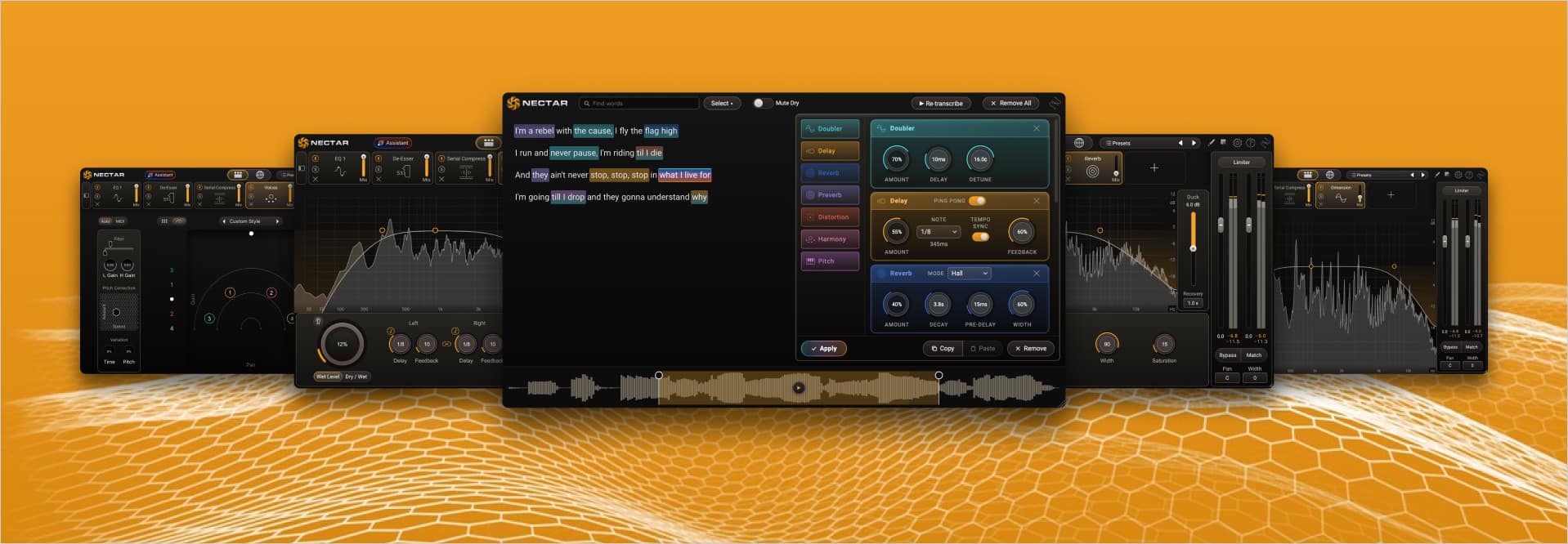
Moments is an ARA plugin that ships with Nectar 5. It transcribes the lyrics from your vocal track, then lets you select words and apply effects to just those words – no automation lanes, aux sends, or extra tracks. It's an industry first, and it runs right in your timeline in DAWs that support ARA.
Load Moments on your vocal track and it starts transcribing right away:
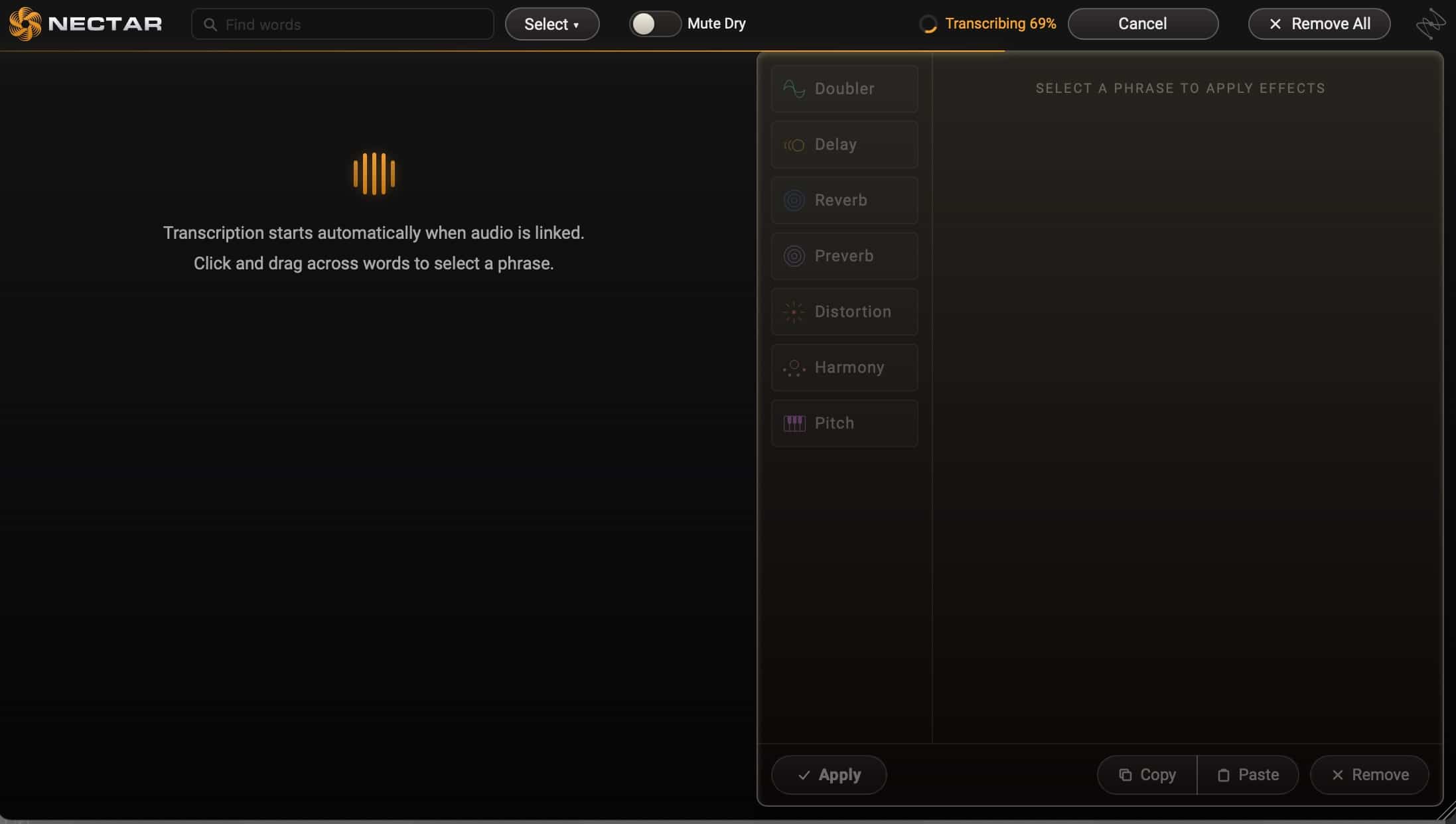 Nectar 5 Moments transcribing a vocal track into lyrics
With your lyrics in front of you like digital liner notes, highlight the words you want to process, choose an effect, and apply it.
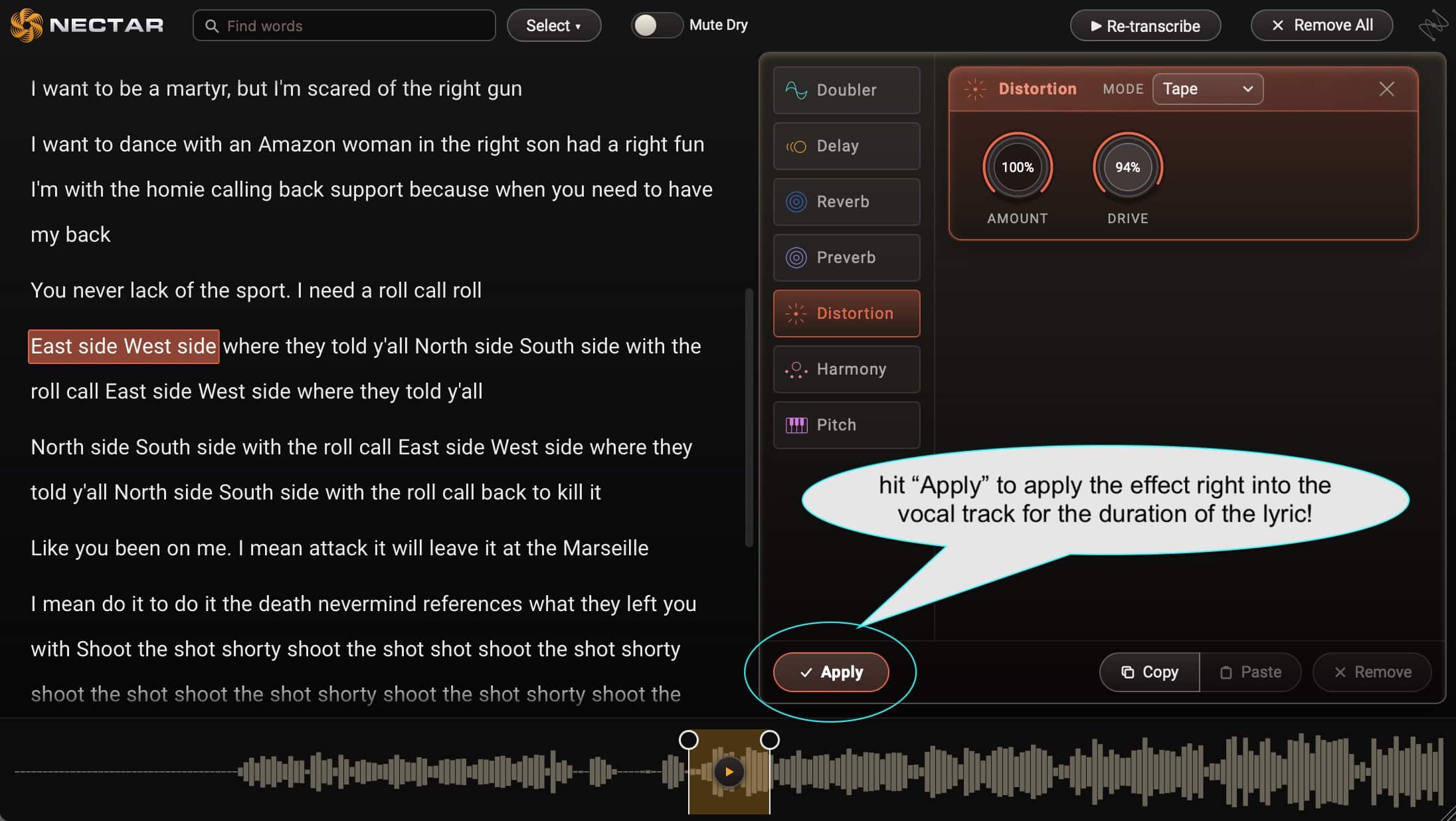 Selecting a lyric in Nectar 5 Moments and choosing an effect
Moments includes reverb and delay throws, reverse reverb swells, doubling, up to 4-voice harmonies, pitch and formant shifts, and distortion. Here's how it works in practice. These are screen recordings of my first time using Moments.
First, see how quickly it transcribes the track:
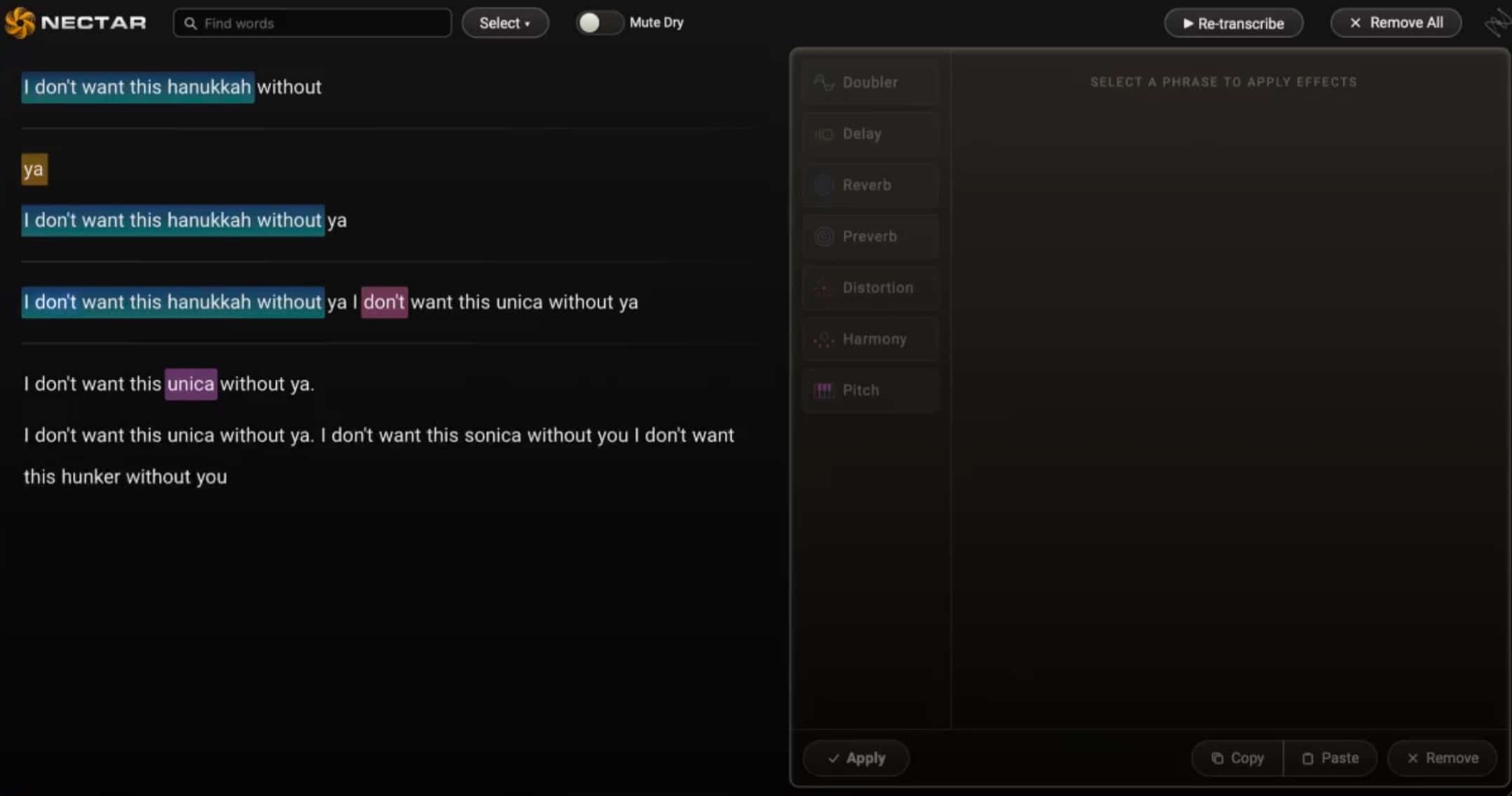 Color-coded effects on lyrics in Nectar 5 MomentsEach color matches an effect type. Looking at the transcription, I can tell where I've used delays, reverbs, and pitch effects at a glance.
I can't stress this enough: these examples come from about five minutes with the plugin. It's that simple to use.
How to add a delay throw to one word with Moments
Here's the basic workflow for a delay or reverb throw, with no automation curves required:
- Load Moments on your vocal track in an ARA-compatible DAW (see the list below)
- Let Moments transcribe the vocal (it works with dozens of languages)
- Highlight the word or phrase you want to throw, the same way you'd select text in a word processor
- Fine-tune the start and end of the selection with the waveform handles, so the effect catches the whole word
- Choose a delay or reverb throw and dial it in
- Play it back. To repeat the effect later in the track, copy it and paste it onto the next line
Pro tip: Moments is useful beyond effects. Navigate a take by its lyrics to find punch-in points while tracking ("Let me punch in from..."), or search the lyrics for expletives when you're preparing a radio edit.
What is text-based vocal editing?
Text-based vocal editing lets you edit audio by working with its transcript instead of its waveform. Software transcribes the recording, links each word to its place in the audio, and lets you change the audio by changing the text. If you work in post production, you've likely used it for a few years.
It's become a common part of podcast workflows, and for good reason. Instead of scrubbing through a timeline and cutting by ear, you edit spoken audio straight from its transcript. Platforms like Descript are built on this idea.
The concept is simple. A speech recognition model analyzes a recording, identifies the words, and creates a matching transcript. Select a word, sentence, or passage, and you can edit the audio directly from the text. Delete a sentence from the transcript and the audio disappears from the timeline. Rearrange a passage and the audio follows.
In podcast editing, that means removing ums, ahs, and unusable content straight from the text, then exporting an AAF file to mix from. It's a big time saver.
Moments takes the idea in a different direction. Instead of editing dialogue, it uses transcription to target specific words and phrases in a song and apply effects right to them. That's where ARA comes in.
How does ARA enable text-based vocal effects?
ARA (Audio Random Access) is a technology developed by Celemony and PreSonus that lets certain plugins exchange information with your DAW beyond the usual real-time audio stream.
ARA is what lets engineers use Melodyne without first playing the whole vocal performance through the plugin in real time, which saves a lot of time.
That's why it matters here. To transcribe lyrics, a plugin needs to see all of the audio at once. Normally that doesn't happen: a plugin receives audio as it plays through the timeline. Some plugins can look ahead a little, but that lookahead is a short buffer that adds latency to playback.
ARA changes the relationship between the plugin and the audio. It gives the plugin access to the whole recording ahead of time – like an actor memorizing a script.
In Moments, that means the plugin can transcribe a vocal, match each word to its position in the audio, and show you the result so you can apply effects word by word, throw by throw. When you select a word and apply an effect, Moments uses that timing information to process exactly that section of audio.
Which DAWs support Moments?
Moments ships with Nectar 5 (it isn't part of Nectar 5 Elements), and it needs a DAW that supports ARA. At launch, Moments runs in:
- Logic Pro
- Pro Tools
- Cubase
- Nuendo
- Fender Studio Pro
- REAPER
Two notes. In Logic Pro, Moments currently needs an Intel Mac, or Logic running in Rosetta on Apple silicon. In REAPER, ARA works only in the VST3 format. Check the Nectar 5 system requirements for the latest list.
The rest of Nectar 5, including its 14 component plugins, works in every major DAW, including Ableton Live and FL Studio.
Seize the moment!
By now, you can see why Moments is so valuable: it gives you time back. When a delay throw, reverse reverb, or pitch effect takes seconds instead of minutes, you're more likely to try something unexpected. And you'll spend less of your session on mechanics and more on the ideas that make a mix yours.
Ready to try it? Download the Nectar 5 free trial and start adding effects to your lyrics.
FAQs
What is Nectar 5 Moments?
Moments is an ARA plugin included with iZotope Nectar 5. It transcribes your vocal into lyrics, so you can select words like text and apply effects to just those words. It's an industry first, and it runs right in your timeline in DAWs that support ARA.
What effects can Moments apply to lyrics?
Moments can apply reverb and delay throws, reverse reverb swells, doubling, up to 4-voice harmonies, pitch and formant shifts, and distortion to the words you select. Each effect gets its own color in the transcription, so you can see where every effect sits at a glance.
How do I add a delay throw to one word without automation?
Load Moments on your vocal track in an ARA-compatible DAW and let it transcribe the vocal. Highlight the word, fine-tune the selection with the waveform handles, then apply a delay throw. Moments processes only that selection, so you don't need an aux send, a bounced track, or automation lanes.
Which DAWs support Nectar 5 Moments?
At launch, Moments runs in Logic Pro, Pro Tools, Cubase, Nuendo, Fender Studio Pro, REAPER, Sequoia, and Samplitude. In Logic Pro, Moments currently needs an Intel Mac or Logic running in Rosetta. In REAPER, use the VST3 version. The rest of Nectar 5 works in all major DAWs.
Does Moments work in Ableton Live or FL Studio?
Not at launch. Moments needs a DAW that supports ARA, and it isn't supported in Ableton Live or FL Studio. You can still use the rest of Nectar 5 in both, including all 14 component plugins.
Does Moments replace vocal automation?
For word-level effects like throws, harmonies, and pitch moments, it can. Instead of drawing curves on an aux send, you select the words and apply the effect. You'll still use automation for broader moves, like level rides and section-by-section changes.