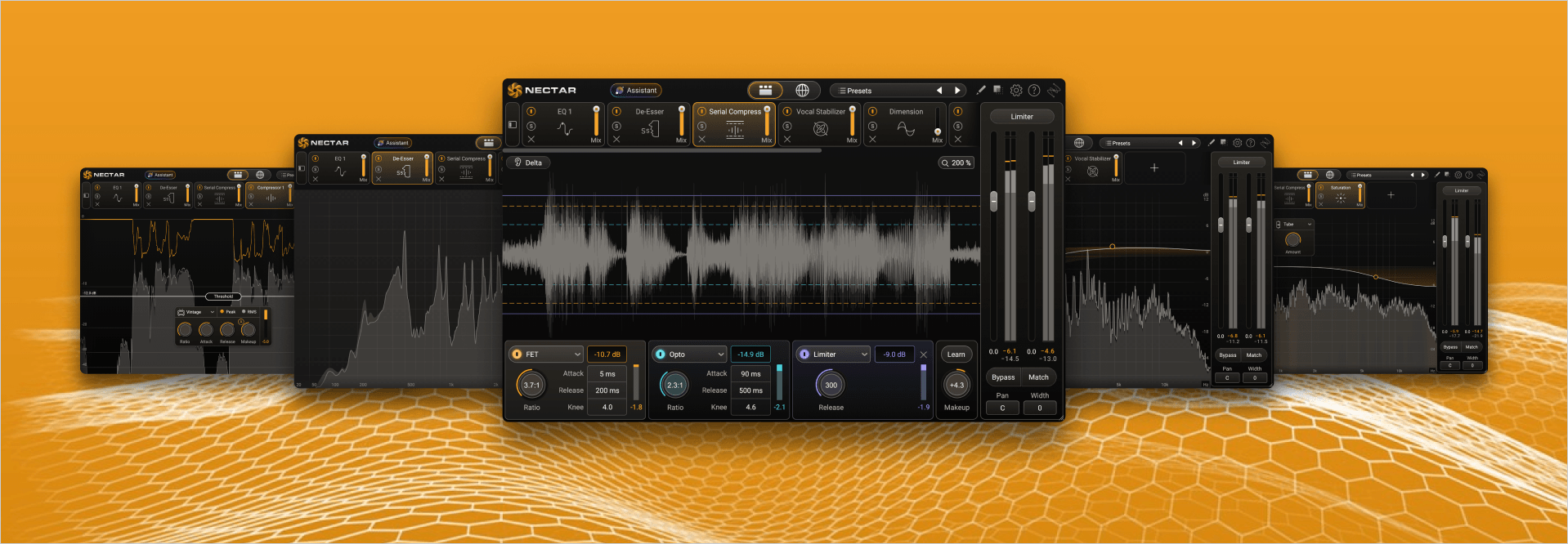

When you compress a vocal, you want it all: every word coming through clearly, weight and thickness, and a bit of character. Ask one compressor to do all of that, though, and you often end up with a vocal that sounds squashed, pumping, and dull.
That's why pro mixers have long stacked compressors on vocals, a technique called serial compression. In this tutorial, we'll explain what serial compression is, why it works, and how to set it up in a few minutes with the new Serial Compressor module in iZotope Nectar 5.
Want to follow along? Start your free trial of Nectar 5 and load up a vocal.
What is serial compression?
Serial compression is the technique of running two or more compressors one after another on the same signal, with each one doing a small amount of gain reduction. Instead of one compressor working hard, the load is shared across several stages, so the result sounds controlled and consistent without obvious pumping or a flattened tone.
Each compressor in the chain can also do a different job. A common vocal setup uses:
- A fast compressor to catch the sharp peaks
- A slower compressor to smooth out the performance and add body
- A limiter or clipper to catch anything that still jumps out
The word "serial" just means "in series": the output of one compressor feeds the input of the next. It's different from parallel compression, where you blend a heavily compressed copy of the signal with the dry original.
Why serial compression sounds better than one compressor
Serial compression sounds more natural because no single compressor has to work hard enough to cause audible side effects. When one compressor does all the gain reduction, it clamps down on every peak and the quieter parts of the vocal at once. That's when you hear pumping, lost transients, and a vocal that feels flat.
Spreading the work across stages gives you:
- Clearer words. Every syllable stays audible without the vocal sounding squeezed
- More weight and consistency. The vocal sits up front in the mix and stays there
- More control over character. You can pick a different compressor style for each job, like a fast, grabby stage followed by a slow, warm one
- Fewer surprises. Each stage prepares the signal for the next, so later stages behave more predictably
The catch has always been the setup. Stacking compressors in a DAW means extra routing, gain staging between plugins, and juggling several plugin windows to see what each one is doing.
Meet the Serial Compressor in Nectar 5
The Serial Compressor is a new module in Nectar 5 that chains up to three dynamics processors in a single window, so you get stacked compression without the routing. You can use it inside Nectar's vocal chain, or load it on its own as one of Nectar's 14 component plugins and drop it between the plugins you already use.
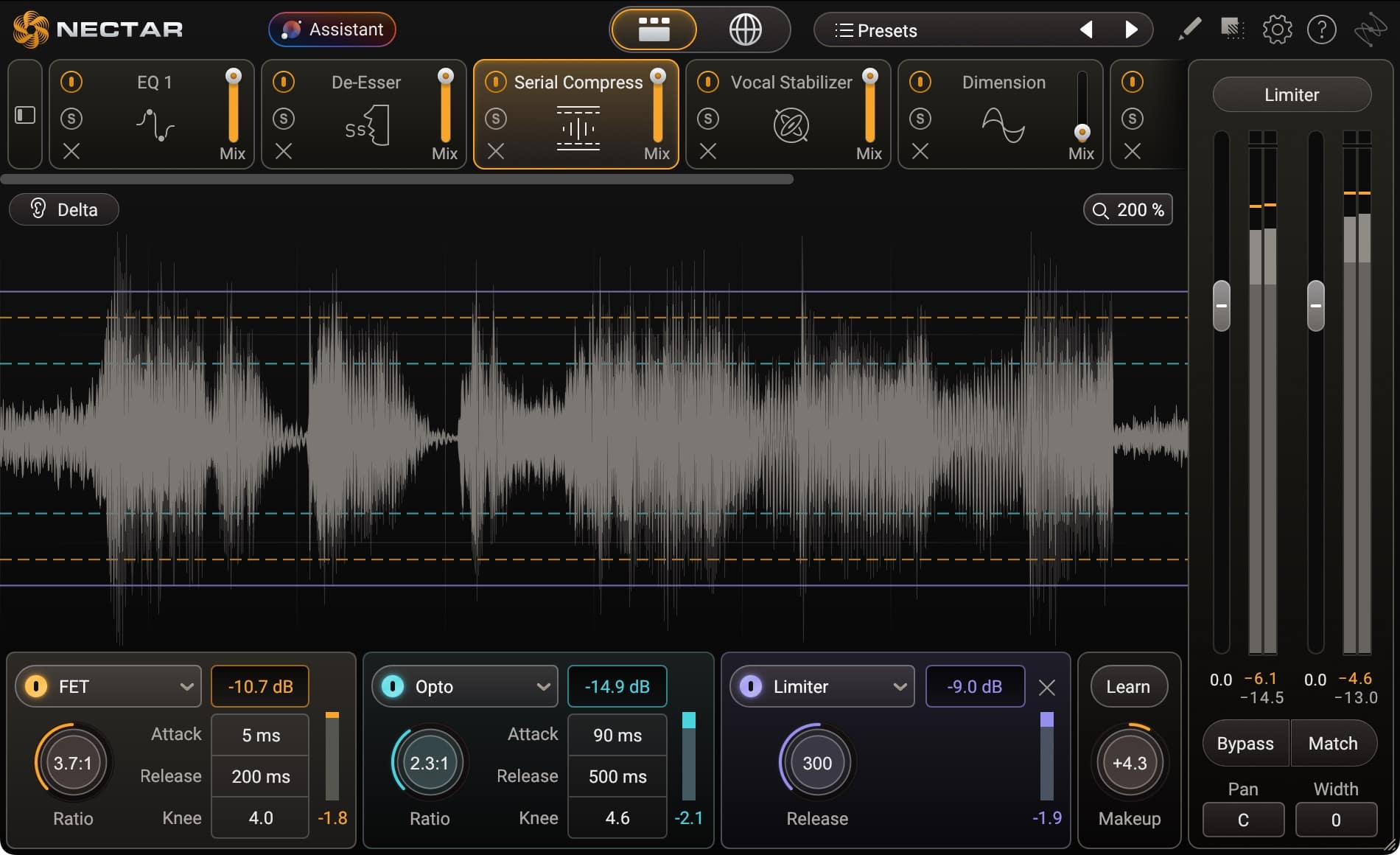 iZotope Nectar 5 Serial CompressorHere's what it gives you:
- Three stages, six styles. Choose Digital, Vintage, Opto, or FET compression, a Limiter, or a Clipper on any of the three stages
- A classic default chain. The module starts with FET into Opto, inspired by the compressors behind decades of professional vocals
- Oscilloscope metering. Your vocal's waveform scrolls across the display, with the threshold of each stage overlaid on top
- Before-and-after view. The darker gray waveform is your original signal and the lighter gray is the compressed result, so you can see exactly what's being added or taken away
- Automatic makeup gain. Hit the Learn button and Nectar sets the makeup gain to match your input and output levels
Because each stage's threshold sits right on the waveform, you can see which part of the signal you're affecting before you even play it back.
How to use serial compression on vocals in Nectar 5
To set up serial compression on a sung vocal, put a fast FET compressor first to tame the peaks, a slower Opto compressor second to smooth and add weight, and a Limiter last as a safety net. Here's how to do it step by step.
- Load the Serial Compressor. Open Nectar 5 on your vocal track and add the Serial Compressor module, or load the Serial Compressor component plugin directly in your DAW
- Set stage one to FET. FET compressors are known for fast, grabby transient control. Lower the threshold on the oscilloscope until it only catches the loudest peaks. A few dB of gain reduction is usually plenty here
- Set stage two to Opto. Opto compressors are slower and sound fuller. Because the FET has already tamed the peaks, the Opto doesn't have to work as hard. Let it do what it does best: smooth out the performance and add weight
- Set stage three to Limiter. Use it as a final safety check. Set the threshold so it only catches the occasional word that still jumps out
- Watch the waveform. Compare the darker gray (original) and lighter gray (compressed) waveforms. If the lighter shape looks flattened everywhere, back off the thresholds
- Set makeup gain. Click Learn so Nectar matches the output level to the input. Now you can bypass the module and judge the change by sound, not loudness
The result is a vocal that sits up front with every word heard clearly, but that doesn't sound flat or dull.
Pro tip: the order is flexible. If the vocal has very sharp peaks, try a Limiter first to clamp down hard on them, then a FET-style compressor to shape what's left.
Example: adding grit to a rap vocal with a Clipper
For rap vocals, a Clipper at the end of the chain adds grit and attitude, but only if the stages before it have already controlled the dynamics. Put a Clipper on an uncompressed vocal and it starts distorting far too early, on every loud syllable.
Try this chain on a rap vocal:
- Compressor (stage one). Even out the level so the loudest words don't hit the Clipper much harder than the rest
- Compressor (stage two). Add more consistency and density with a second, gentler stage
- Clipper (stage three). Raise or lower the threshold until you hear the grit you want across the whole performance, not just the peaks
This is the core idea behind serial compression: each link in the chain prepares the signal for the next and spreads the load.
Serial Compressor controls at a glance
Every stage has its own set of controls, depending on the style you choose.
| Stage style | Controls |
|---|---|
| Digital, Vintage, Opto, FET | Threshold, ratio, attack, release, knee |
| Limiter | Threshold, release |
| Clipper | Threshold, knee, oversampling |
| Whole module | Makeup gain, Learn button |
Use makeup gain to make up for any level drop from compression, or hit Learn to set it automatically.
Tips for serial compression on vocals
- Give each stage one job. Peak control, smoothing, and safety are three different tasks. Pick the style that suits each one
- Go light on each stage. The point of serial compression is spreading the load. If one stage is doing most of the work, rebalance the thresholds
- Use your eyes, then your ears. The oscilloscope shows where each threshold sits. Confirm every change by listening in the context of the full mix
- Level-match before you judge. Louder almost always sounds better. Use the Learn button so you're comparing tone and control, not volume
- Try a different order. A Limiter before a FET, or a Vintage stage before an Opto, can suit some voices better than the default chain
- Build on what Vocal Assistant gives you. If you start with Vocal Assistant in Nectar 5, you can add or open the Serial Compressor afterward and fine-tune each stage to taste
Start stacking compressors on your vocals
Serial compression lets you get a vocal that sits up front with every word heard clearly, without pushing one compressor too hard. The Serial Compressor in Nectar 5 makes the technique quick to set up: three stages, six styles, oscilloscope metering that shows what each stage is doing, and automatic makeup gain.
The Serial Compressor is available now in Nectar 5. Try Nectar 5 free and start building your own serial compression chain.
FAQs
What is serial compression?
Serial compression is running two or more compressors in a row on the same signal, with each doing a small amount of gain reduction. It gives you more control and consistency than one compressor working hard, with fewer side effects like pumping or dullness.
What's the difference between serial and parallel compression?
Serial compression runs compressors one after another, so the full signal passes through every stage. Parallel compression blends a heavily compressed copy of the signal with the uncompressed original. Serial compression is mainly for control and consistency, while parallel compression is mainly for adding density while keeping transients.
How many compressors should I use on a vocal?
Two or three is a common choice. Two compressors handle peak control and smoothing, and a third stage, often a limiter, catches anything left over. The Serial Compressor in Nectar 5 gives you up to three stages.
What order should vocal compressors go in?
A common order is a fast compressor first to catch peaks, then a slower compressor to smooth the performance. FET into Opto is a classic choice for vocals. Putting a limiter or clipper last works as a safety net or adds grit.
Why is FET into Opto popular for vocals?
A FET compressor reacts quickly, so it controls sharp transients. An Opto compressor reacts more slowly and sounds fuller, so it smooths the overall level and adds weight. With the FET handling peaks first, the Opto doesn't have to work as hard.
Does serial compression work on rap vocals?
Yes. Rap vocals often benefit from tight, consistent compression, and a clipper at the end of the chain can add grit. Compress first so the clipper doesn't distort too early.