
Table of Contents
- Here's what's new
- Add effects to words with the industry-first Moments plugin
- Compress more without the pumping
- Let your EQ follow the performance with the Vocal Stabilizer
- Steer Vocal Assistant with Custom Flow
- See your whole chain on the Overview page
- Add width and space that stay out of the way
- Use Nectar inside the chain you already have
- Which version of Nectar 5 fits you?
- Try your next vocal in Nectar 5
- FAQs
There's a point in every mix where the vocal either clicks or it doesn't. Maybe it's sitting too far back. Maybe the compression is breathing a little too hard. Or maybe you've been listening for so long that you honestly can't tell anymore. We've all been there.
Nectar 5 is our answer to getting professional-sounding vocals in your mix. It's a complete suite of 18 plugins that helps you get from raw take to finished vocal, whichever way you like to work. Let Vocal Assistant build your chain in one click, or call the shots with the new custom flow. Shape key controls from the new Overview page, or pull individual Nectar modules into the chain you've already built. Our biggest Nectar update yet brings two new modules, lots of workflow improvements, and a brand-new way to add effects directly to lyrics.
If you already own Nectar or another iZotope product, log in to your account to see your upgrade or crossgrade price – even better during our Cyber Sale, ending December 7, 2026.
Here's what's new
- Moments, for adding effects to individual words and phrases
- Serial Compressor, for stacked compression to avoid pumping vocals
- Vocal Stabilizer, an EQ that adapts as the vocal moves
- Custom Flow to steer the retuned Vocal Assistant
- The Overview page, with your chain's key controls in one place
- Micro Pitch Shift, a new widening mode in Dimension
- Wet Level mode, 3-band filters, and ducking for Reverb, Delay, and Dimension
- A fresh new look that's easier on the eyes during long sessions
Add effects to words with the industry-first Moments plugin
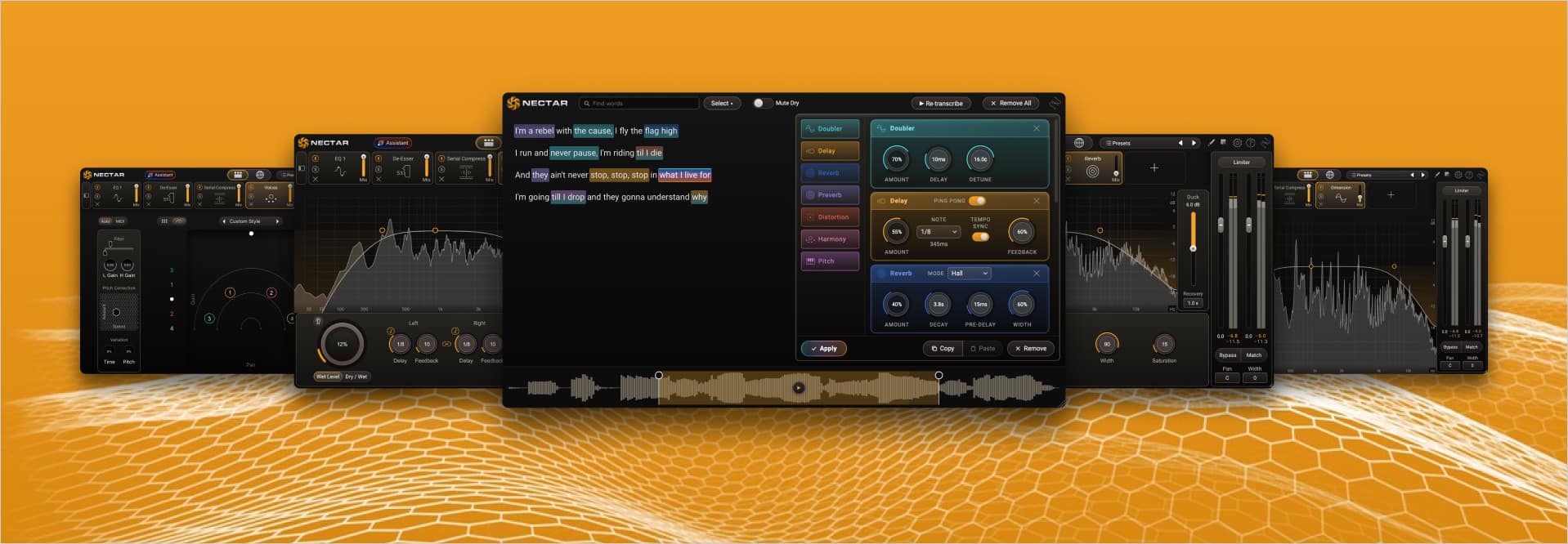
Some of the best vocal details are tiny: a delay throw on the last word of the chorus, a harmony that shows up for one line, a reverse swell into the hook. They're also the ones that tend to take an hour of automation tweaking.
Moments takes a different approach. It transcribes your vocal right on your DAW's timeline, so you can highlight words the same way you'd select text in a document, nudge the edges with waveform handles, and add an effect to just that part. Choose from reverb and delay throws, reverse reverb swells, doubling, harmonies of up to four voices, pitch and formant shifts, and distortion. Like how it sounds? Copy it and paste it onto the next line.
Pro tip: Moments is handy beyond effects, too. Jump around a take by its lyrics when you're punching in, or search for a word when you need a clean radio edit.
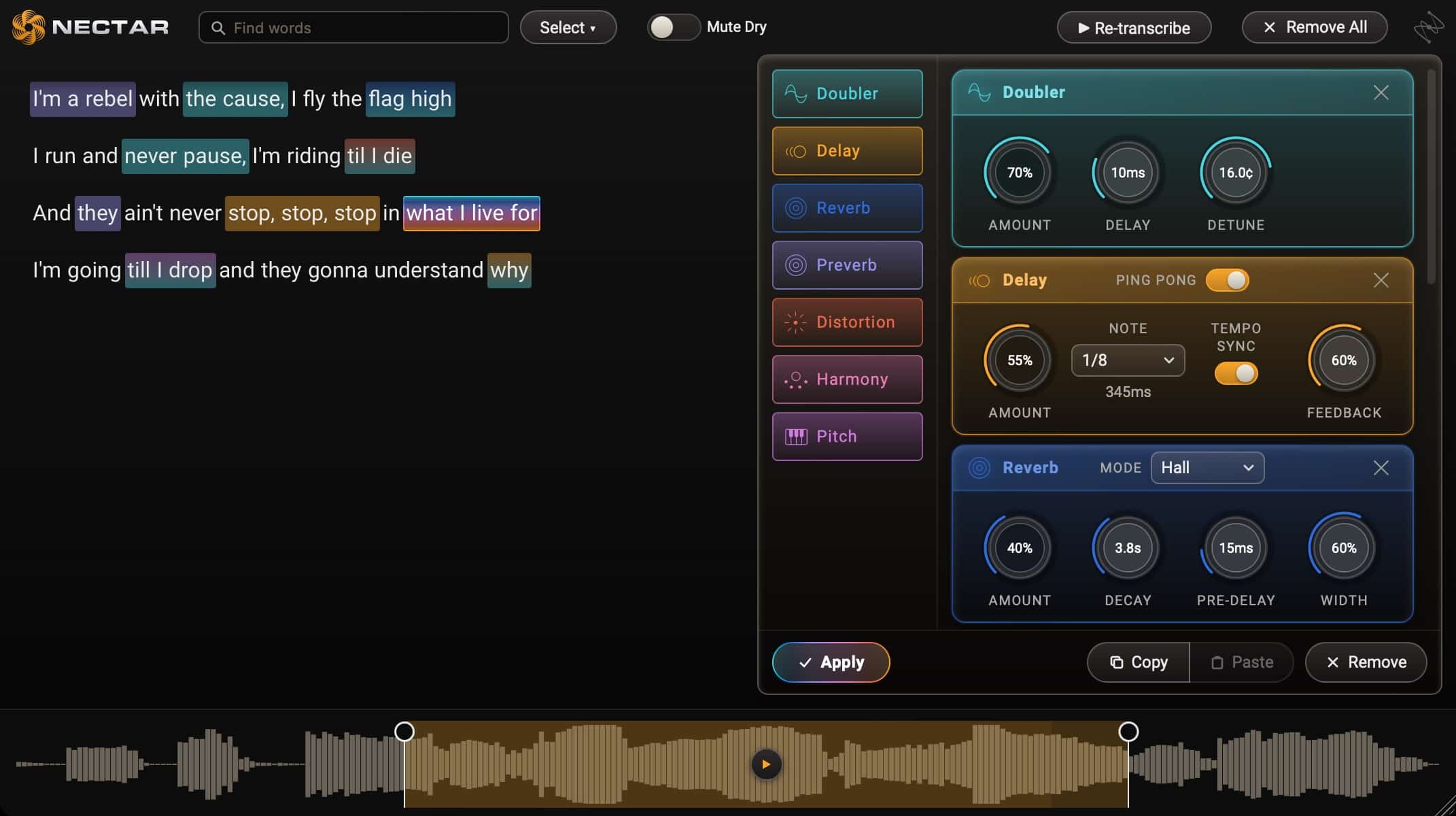 Moments ARA plugin with lyrics selected on the timeline
Compress more without the pumping
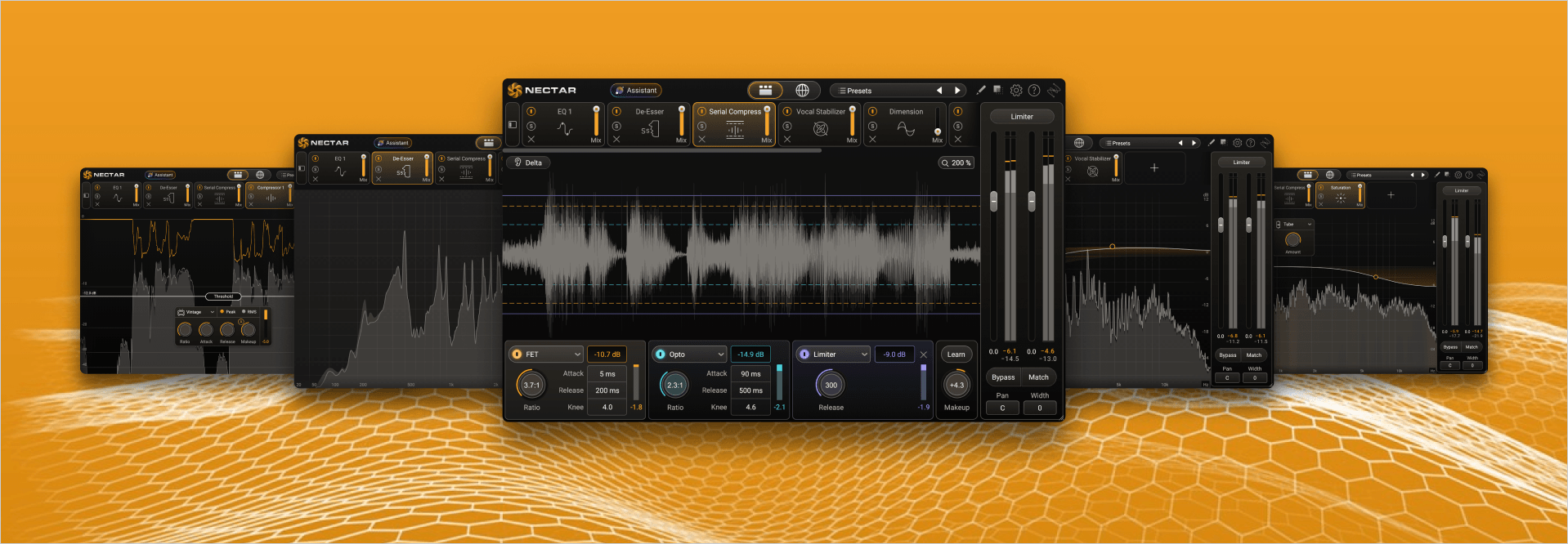
When one compressor is working overtime on a vocal, you can hear it pump. Plenty of mixers get around that by running a few compressors in a row, each doing a little of the work. The new Serial Compressor makes that easy. Stack up to three compressors, limiters, or clippers, set thresholds by watching the oscilloscope display, and let the Learn button take care of makeup gain. There are four compressor styles to pick from, plus a limiter and a soft clipper.
Pro tip: Not sure where to start? The default FET-into-Opto chain is a classic pairing for a reason.
Let your EQ follow the performance with the Vocal Stabilizer
Vocals change from line to line. A singer leans in and gets brighter, or drops into a lower register, and things get a little muddy. The Vocal Stabilizer is an EQ that adapts as that happens. Tell it the vocal's style and register, then use Shape mode to nudge the tone or Cut mode to tame resonances. If you want to get hands-on, a three-band split with adjustable crossovers and an Amount control for each band lets you decide how much it does, and where.
Steer Vocal Assistant with Custom Flow
Vocal Assistant has been retuned and can still build your whole chain in one click, which is a great way to get a solid starting point fast. But sometimes you already know where you want to end up. With the new Custom Flow, you can tell it the style, register, key, Intensity, and Atmosphere you're after, choose which modules it uses, and even give it an acapella to aim for. From there, everything's yours to tweak.
See your whole chain on the Overview page
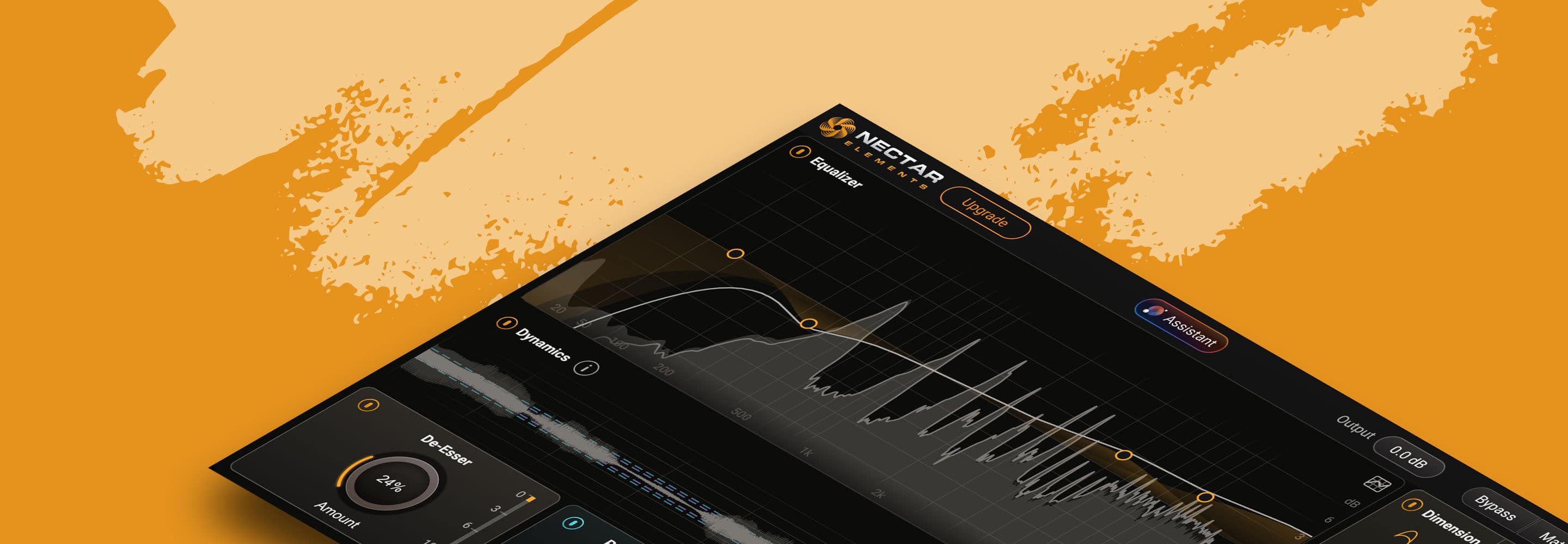
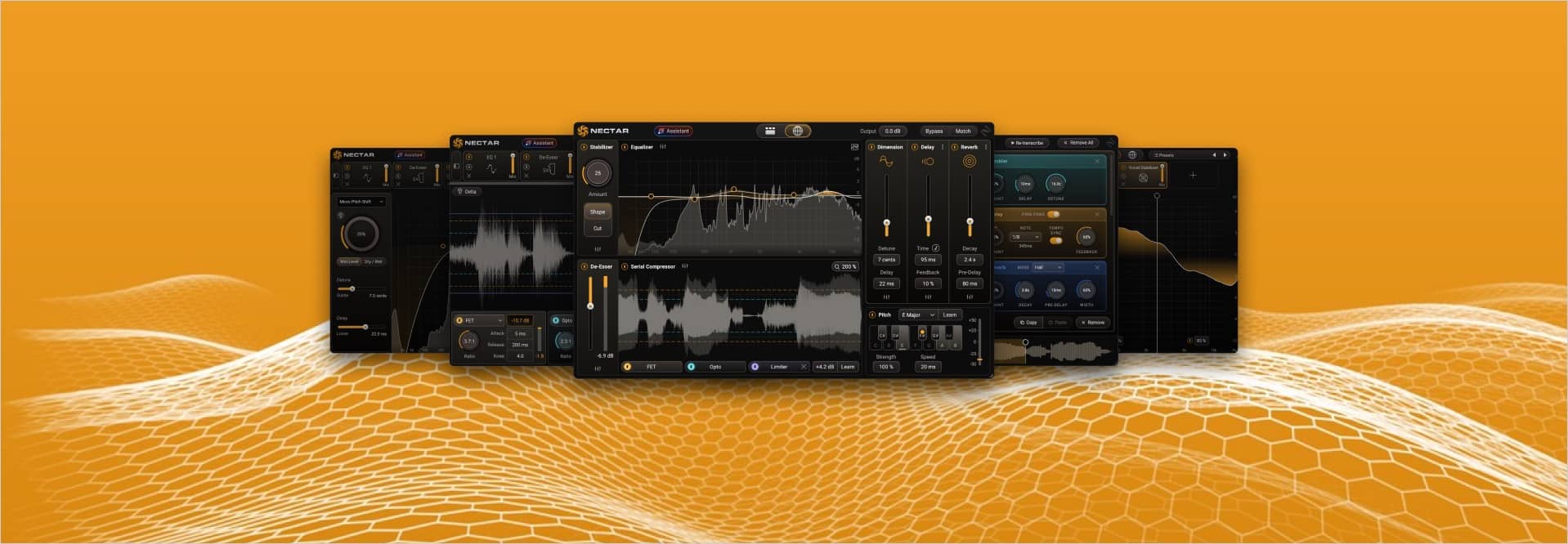
The Overview page brings the most-used controls from Nectar's core modules onto one screen, so you can make big moves and hear how everything works together without hopping between windows. When you want to dig into a module, it's one click away. It works just as well after Vocal Assistant as it does when you're starting from scratch.
Add width and space that stay out of the way
Micro Pitch Shift is a new mode in the Dimension module. It spreads the vocal out and detunes it ever so slightly, a go-to trick for making modern vocals feel wide and full.
We've also made Reverb, Delay, and Dimension easier to fit around a vocal. A new Wet Level mode turns the Dry/Wet knob into something more like a send, so you can add the effect without pulling back the dry signal. Each effect has 3-band filters with adjustable slopes, and Reverb and Delay can now duck automatically, so tails and echoes back off while the singer is singing.
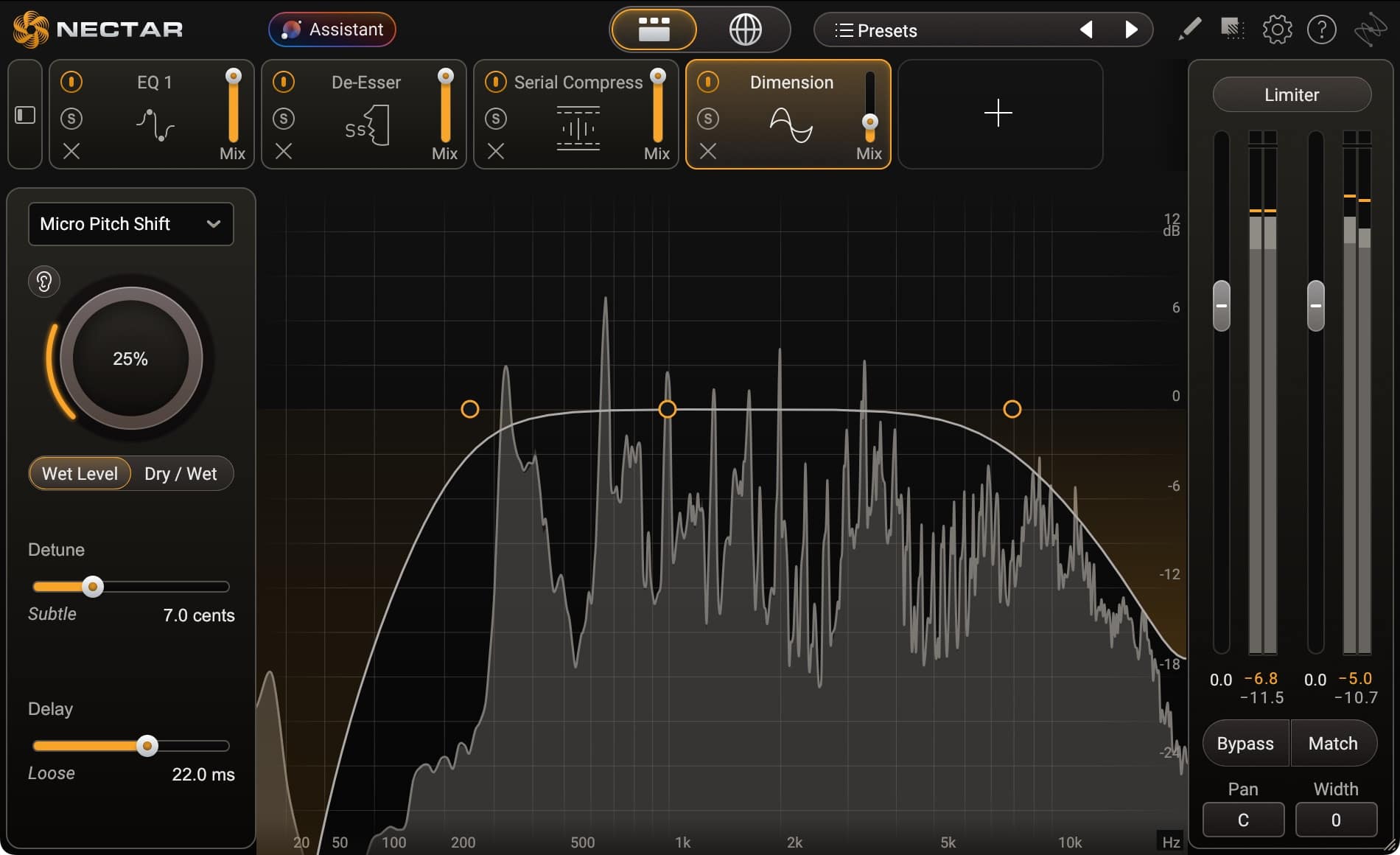
Use Nectar inside the chain you already have
If you've spent years building a vocal chain you like, you don't have to give it up. Every Nectar 5 module and mini-module also loads as its own plugin, 14 in all. Drop the Serial Compressor or Vocal Stabilizer between your favorite plugins and keep going. Use Nectar as one all-in-one plugin, piece by piece, or a bit of both.
Which version of Nectar 5 fits you?
| Edition | Good for | What's inside |
|---|---|---|
| Nectar 5 Elements | Getting a great-sounding vocal quickly, without a lot of setup | Vocal Assistant with Custom Flow, plus the Overview page with core controls for Compressor, De-esser, Delay, Dimension, Equalizer, Pitch, and Reverb |
| Nectar 5 | Going deeper, with every module and tool | Everything in Elements, plus 12 full modules and 2 mini-modules, 14 component plugins, Moments, Breath Control, and Melodyne 5 essential |
Coming from Nectar 4?
Here's what you'll find that wasn't there before:- Moments, for effects on individual words and lines
- The Serial Compressor and Vocal Stabilizer modules
- A retuned Vocal Assistant with Custom Flow
- The Overview page
- Micro Pitch Shift, plus Wet Level mode, 3-band filters, and ducking for your effects
- A redesigned interface
Try your next vocal in Nectar 5
Whether you're producing an artist, recording yourself, fine-tuning a chain you've used for years, or just trying to get a demo to sound like the song in your head, iZotope Nectar 5 gets you there faster and easier than ever. We can't wait to hear what you make with it.
FAQs
What is iZotope Nectar 5?
Nectar 5 is a suite of vocal plugins that helps you take a vocal from raw take to release-ready. It brings vocal mixing, creative effects, and AI-powered assistance together in one place. You can use it as a single all-in-one plugin, or load its 14 component plugins one by one in your DAW, right alongside the plugins you already use.
What's the difference between Nectar 5 and Nectar 5 Elements?
Nectar 5 Elements is an all-in-one vocal plugin that covers the essentials: EQ, compression, de-essing, reverb, delay, and pitch correction. It includes Vocal Assistant with the new Custom Flow, plus the Overview page with core controls for Compressor, De-esser, Delay, Dimension, Equalizer, Pitch, and Reverb.
Nectar 5 includes everything in Elements, plus more Overview controls, 12 full modules and 2 mini-modules, 14 component plugins, Moments, Breath Control, and Melodyne essential.
What's new in Nectar 5?
The biggest additions are Moments, which lets you add effects to individual words and lines, and two new modules: the Serial Compressor and the Vocal Stabilizer. Vocal Assistant has been improved and now includes Custom Flow, so you can steer it toward the sound you want. You'll also find the new Overview page, a Micro Pitch Shift mode in Dimension, a send-style Wet Level mode, 3-band filters, and automatic ducking for your effects, and a brand-new interface.
Which DAWs support Moments?
Moments runs as an ARA plugin, so it works right on your timeline in DAWs that support ARA. These include Logic Pro, Pro Tools, Cubase, Nuendo, Fender Studio Pro, and REAPER. A couple of notes: in Logic Pro, ARA currently runs on Intel or under Rosetta only, and in REAPER, ARA works in the VST3 format.
Can I use Nectar modules in my own vocal chain?
Yes. Every Nectar 5 module and mini-module also loads as its own plugin, 14 in all. Drop the Serial Compressor, Vocal Stabilizer, or any other module anywhere in your chain, between whatever plugins you already like.
I already own Nectar or another iZotope product. Is there a deal for me?
There is. Nectar 4 owners, owners of earlier versions of Nectar, Nectar Elements owners, and anyone who owns a paid iZotope product can all get special pricing on Nectar 5. Log in to your iZotope account to see your price. These offers run through December 7, 2026. Students and educators can also get education pricing on Nectar 5 and Nectar 5 Elements.
Is Nectar 5 included in iZotope bundles?
Yes. Starting November 24, 2026, Nectar 5 is part of Music Production Suite 10, Post Production Suite 10, the Everything Bundle, and Mix & Master Bundle Advanced. Nectar 5 Elements is part of Elements Suite 13.